Kalka speaks two protocols with agents:
- MCP, the Model Context Protocol: an agent running somewhere else, such as Claude Code in your terminal or Cursor, uses Kalka’s tools to read and edit the open document.
- ACP, the Agent Client Protocol: Kalka runs a coding agent inside its own AI panel. See Agents in Kalka.
This page is about MCP.
The built-in server
The desktop app has its own MCP server. It starts with Kalka, runs on your computer only, and answers at http://127.0.0.1:7600/mcp. There is nothing to install and no usage cap from Kalka.
Connect an agent in one click
Open Settings › MCP. Under Connect an agent, click Connect next to your client:
Claude Desktop, Claude Code, Cursor, VS Code, Windsurf, Codex, Gemini CLI, Antigravity, Kiro, Zed, LM Studio or opencode.
Kalka writes the client’s configuration for you, after keeping a backup of the file beside it. Restart the client, and Kalka’s tools appear under the name kalka. For Claude Desktop you can also Install extension.
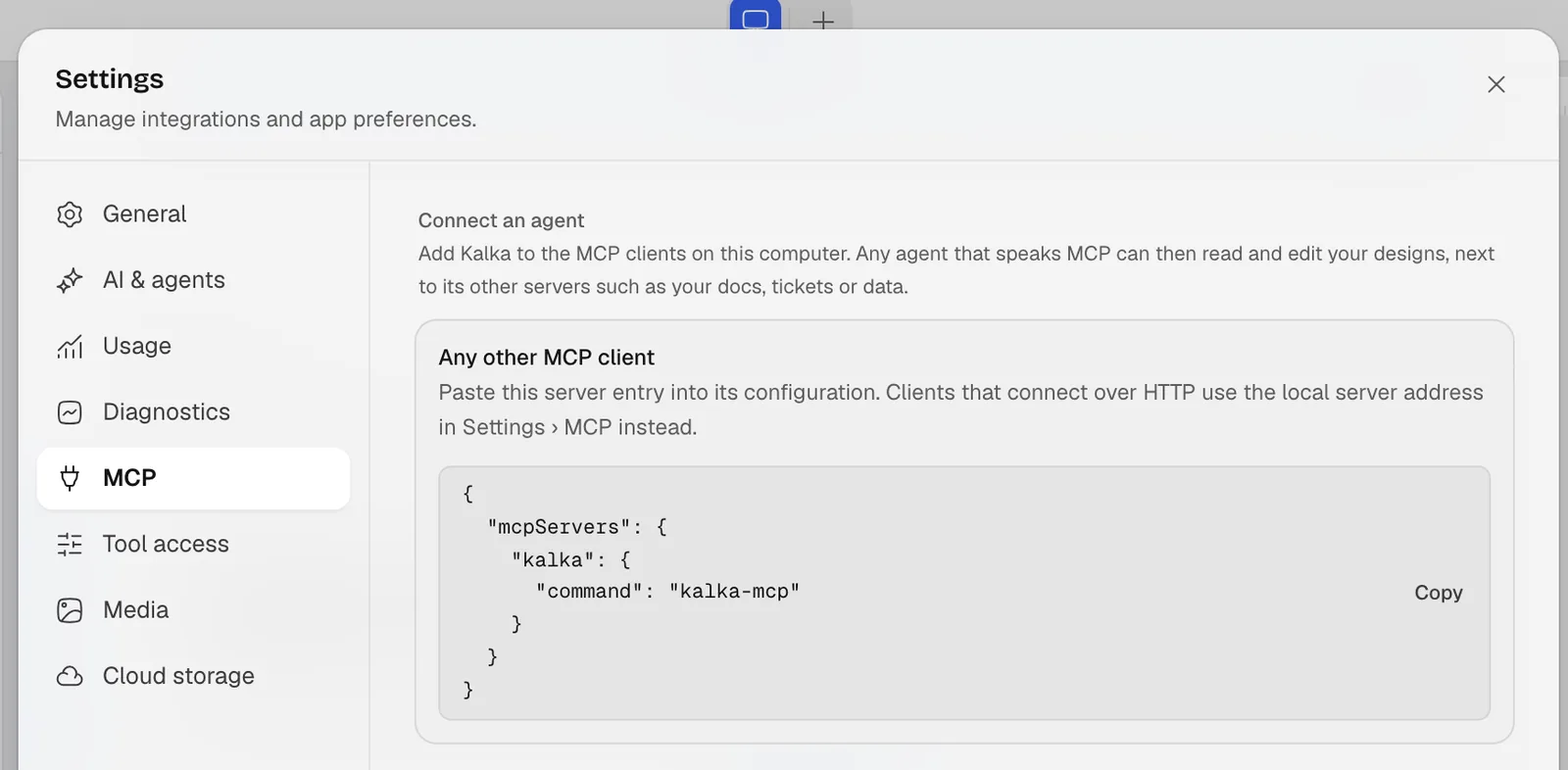
For any other client, Any other MCP client shows the entry to paste into its settings.
To check that Claude Code sees Kalka:
claude mcp listWhat an agent can do
Agents get more than a hundred tools. The ones they use most:
| Tool | What it does |
|---|---|
get_selection, get_page_tree |
See what you selected and how the page is built |
get_html |
Read layers as HTML |
write_html |
Add or replace layers by writing HTML and CSS |
update_styles |
Change the CSS of layers |
get_screenshot |
Look at the result, to check the work |
get_design_guide |
Read Kalka’s design process and its list of machine-made habits to avoid |
ask_user |
Ask you questions in Kalka, with answers to click |
get_comments, reply_to_comment |
Read comment threads and answer them |
list_settings, update_settings |
Change Kalka settings such as the theme or Follow agents |
Agents written for Figma’s MCP server find the tools they know, with the same names: get_metadata, get_variable_defs and search_design_system. Scripts written for Figma’s plugin API also run on the open document, through use_figma.
While an agent works, its name shows on the canvas with what it is doing, and its edits appear block by block. Undo from an agent only reaches its own steps, never yours.
Choose what agents may do
- Settings › Tool access turns each tool on or off, separately for the built-in AI and for MCP clients. Tools are sorted into read-only tools and tools that change things.
- Share only the selection, in Settings › MCP, lets clients read the selected layers and nothing else, with no editing tools.
- Require authentication keeps other programs on your computer from using the server without its token. It is on by default.
- MCP root directory limits the folder where tools may read and write files.
Restart the server, with Restart MCP server, after changing these.
The Kalka skill
Kalka ships an agent skill: instructions that teach an agent how to design in Kalka, with the design process and the list of habits to avoid. It is the skills/kalka folder of the Kalka repository. Copy it into your agent’s skills folder, for example ~/.claude/skills/kalka for Claude Code.
Connections from Kalka to other servers
The built-in AI can use other MCP servers too, so it reads your specs, docs or tickets instead of inventing content. Add them under Settings › MCP › MCP connections, by URL or by command.
The command line
The kalka command works on .fig, .kalka and .pen files without opening the app, or on the open document when you leave out the file. It exports, inspects, lints and runs scripts. It is not published as a package yet: run it from a clone of the Kalka repository with Bun:
git clone https://github.com/leyscore/kalka.git
cd kalka
bun install
bun kalka --help
When it does not connect
See Troubleshooting, in particular when port 7600 is already in use.