macOS will not open Kalka
Beta builds are not signed with an Apple Developer certificate yet, so macOS stops the first launch.
- Open Kalka once and let macOS refuse it.
- Open System Settings › Privacy & Security.
- Scroll down to the message about Kalka and click Open Anyway.
- Confirm with your password or Touch ID. Kalka opens, and macOS will not ask again for this version.
Remove the quarantine flag in Terminal, then open it again:
xattr -dr com.apple.quarantine /Applications/Kalka.appWindows SmartScreen blocks the installer
SmartScreen warns about installers it has not seen often, and beta builds are not signed yet. In the blue “Windows protected your PC” window, click More info, then Run anyway.
Linux
Kalka ships as an AppImage. If it does not start when you double-click it, make it executable first:
chmod +x Kalka-*.AppImageOn Windows and Linux, Kalka’s menu is inside the window rather than in a system menu bar.
Updates do not install on macOS
A Kalka that is not signed cannot replace itself on macOS. The Software Update window says so and offers Download: install the new .dmg over the old Kalka in Applications. Your documents and settings stay.
Agents cannot reach Kalka
The MCP server runs inside the desktop app, on port 7600. Kalka must be open for agents to reach it.
- “Port 7600 is used by another program” in Settings › MCP: another program holds the port, often a Kalka development server left running or a second copy of Kalka. Quit it, then start the server again from Settings.
- “MCP server did not respond in time” or “is not reachable”: check that Kalka is open, then restart your agent so it connects again.
- “Rejected the local connection”: restart Kalka; it issues a new local token.
See MCP and ACP for how to connect each agent.
Autosave asks for permission in the browser
In Chrome and Edge, a web page may only write a file on your disk with your permission. When you turn on Autosave for a file you opened from disk, the browser asks once. If you refuse, Kalka cannot autosave and tells you so. Browsers without file access, such as Safari and Firefox, download a copy each time you save.
Versions do not work
The History panel needs the desktop app, a document saved on your computer, and Git installed. On macOS, install Git with xcode-select --install; on Windows, from git-scm.com. To publish versions online, your computer must already be able to push to that repository with Git.
Too much motion
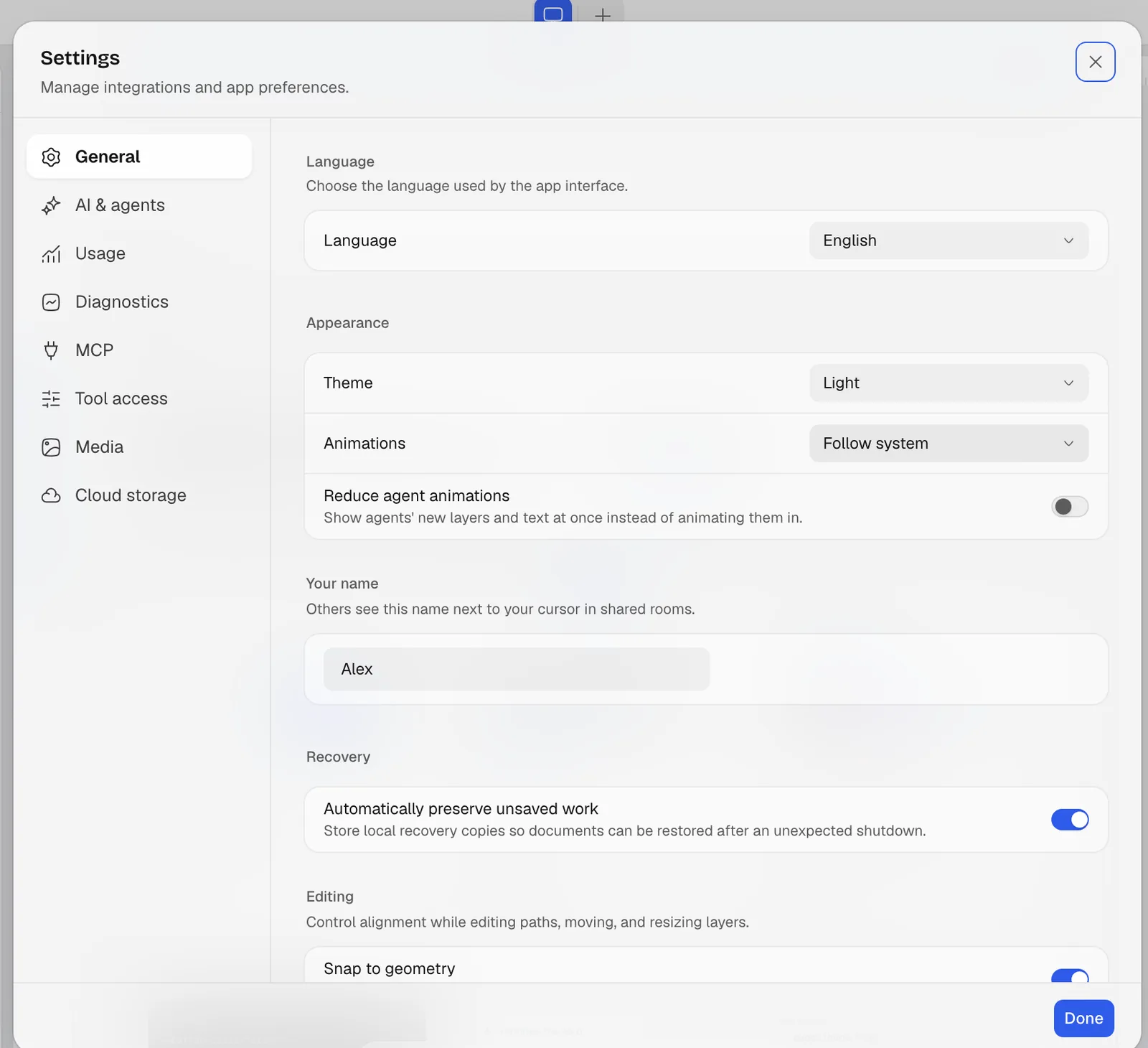
Settings › General, under Appearance, Animations can follow your system’s reduced motion setting or turn animations off. Reduce agent animations shows an agent’s new layers at once instead of letting them appear block by block.
Recover lost work
If Kalka closed before you saved, open it again: it offers to restore the unsaved documents. See Files and versions.
Report a bug
Open an issue at github.com/leyscore/kalka/issues. If Kalka cannot start, its error screen has a Report a problem link that opens the issue with your version and system already filled in. Say what you did, what you expected, and what happened; a file or a screenshot helps a lot.